@sbtools/plugin-erd

Plugin that generates Mermaid ERD diagrams for each public table. Connects to the database to introspect columns, primary keys, and foreign keys.
Quick Start
npm install @sbtools/plugin-erdAdd to config: { "path": "@sbtools/plugin-erd" }
# Ensure database is running
npx sbt start
npx sbt generate-erd
# Output: docs/entity-relations/<table>.md
Commands
| Command | Description |
|---|---|
generate-erd | Generate Mermaid ERD for all public tables |
Sample generated ERD (docs/entity-relations/users.md):
```mermaid
erDiagram
    users {
        uuid id PK
        text email
        text full_name
        timestamptz created_at
    }
    organizations {
        uuid id PK
        text slug
    }
    users ||--o{ memberships : "has"
    organizations ||--o{ memberships : "has"
```
Configuration
Plugin config goes in plugins[].config:
{
  "plugins": [{
    "path": "@sbtools/plugin-erd",
    "config": {
      "erdOutput": "docs/development/entity-relations",
      "displayColumns": ["name", "email", "full_name", "slug", "title"]
    }
  }]
}| Key | Default | Description |
|---|---|---|
erdOutput | <docsOutput>/entity-relations | Output directory (derives from root paths.docsOutput) |
displayColumns | ["name", "email", "full_name", "slug", "title"] | Columns to display on referenced entities |
Global ERD display columns can also be set at the root level under erd.displayColumns.
Dashboard Integration
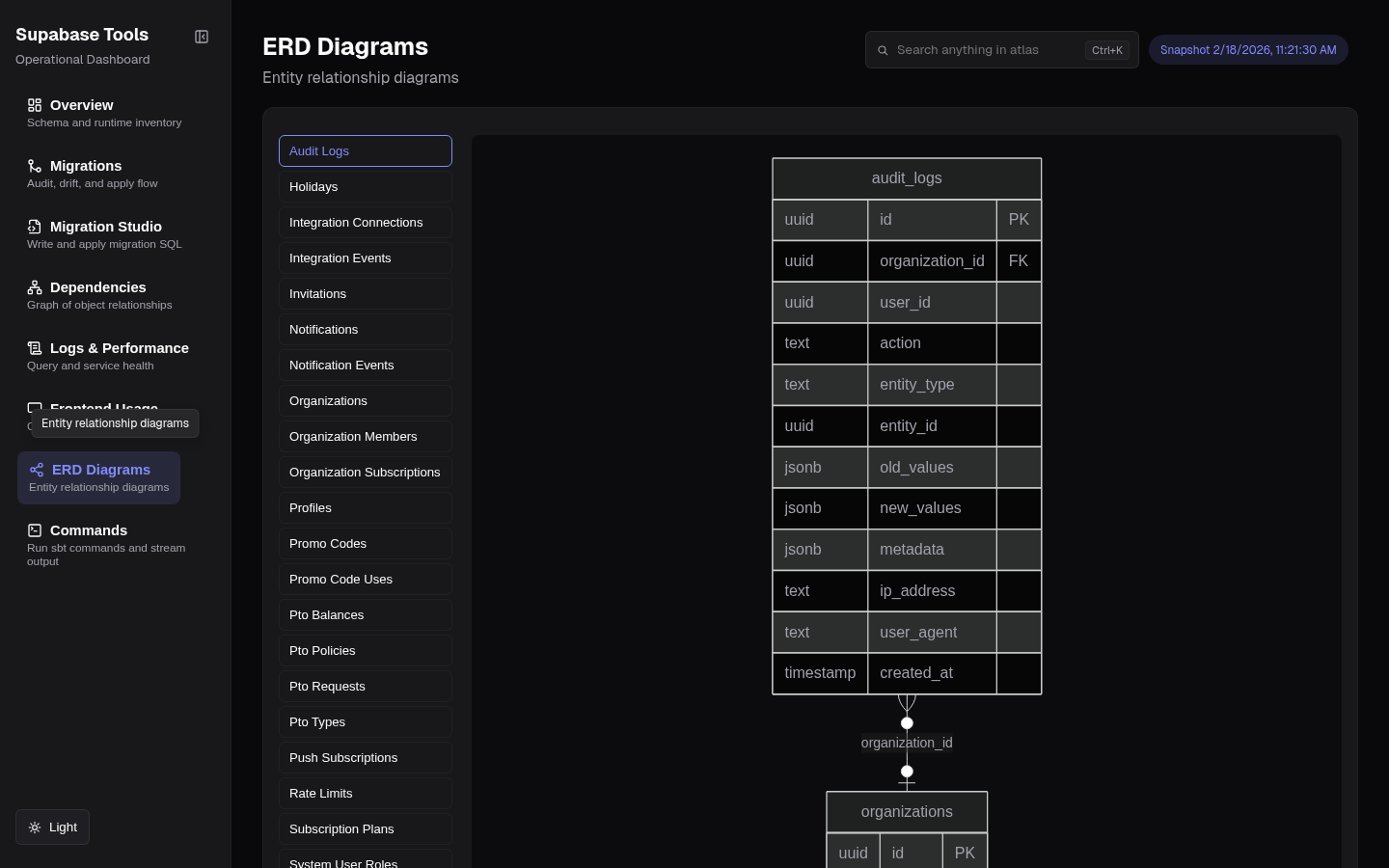 ERD page — Mermaid entity-relationship diagram with table list sidebar
When active, the ERD plugin contributes to the dashboard automatically — no extra commands needed.
getAtlasData()— reads the generated.mdfiles fromerdOutputatsbt generate-atlastime and adds anerd_diagramscategory tobackend-atlas-data.jsongetDashboardView()— declares the ERD section so the dashboard router shows it in the nav
The dashboard ERD page (/erd) renders each diagram as an interactive Mermaid SVG with table search and a raw source toggle. If erd_diagrams is missing from atlas data (e.g. generate-erd hasn't run yet), the dashboard falls back to reading .md files directly from the erdOutput directory at request time.
Note on
erdOutput: If you set a customerdOutputpath in plugin config, make sure it matches wheregenerate-erdwrites files. The dashboard resolves this path fromsupabase-tools.config.jsonat runtime — a mismatch causes the ERD page to appear empty.